> For the complete documentation index, see [llms.txt](https://enterprise.hideez.com/llms.txt). Markdown versions of documentation pages are available by appending `.md` to page URLs; this page is available as [Markdown](https://enterprise.hideez.com/hideez-enterprise-server/employees/how-to-manage-positions.md).
# How to manage Positions?
Hideez Enterprise Server – Managing positions
The position directory is used to search and filter data by the position field in the Employees table. Each employee can be assigned one position.
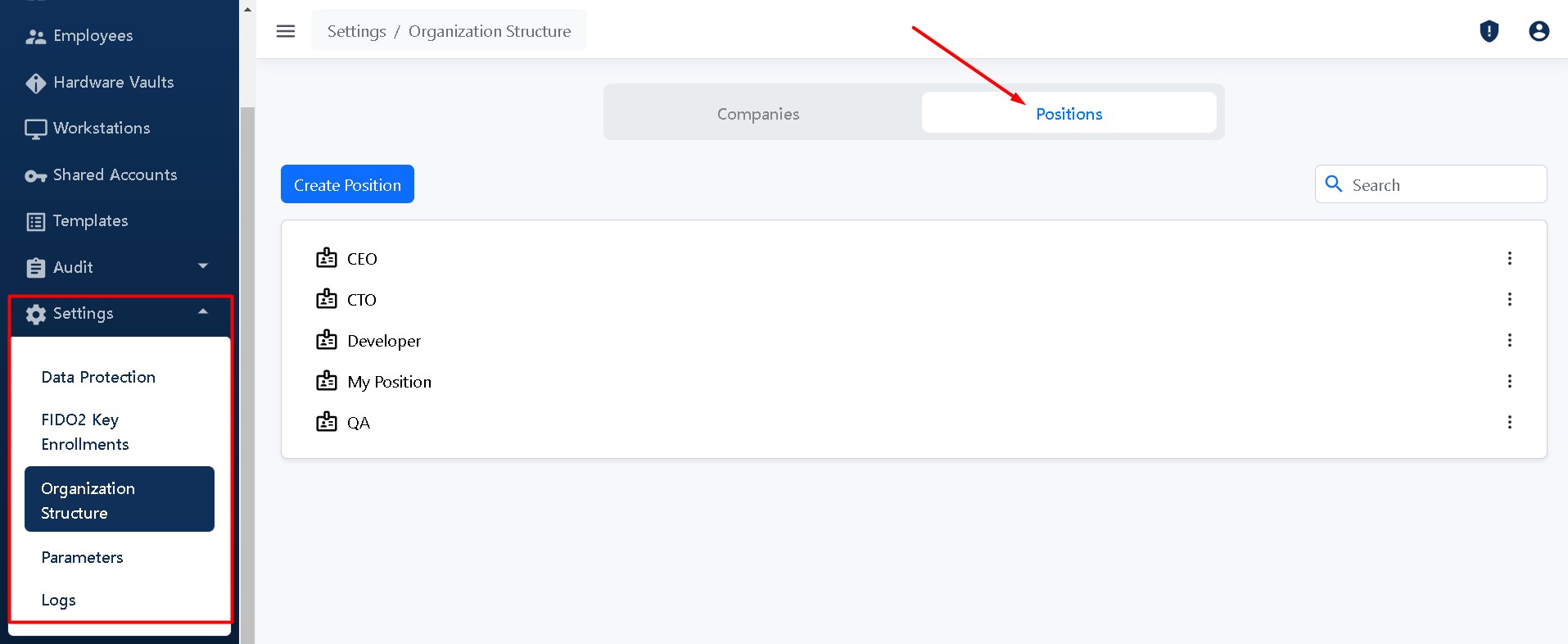
To manage positions go to **Settings -> Organization Structure** and click on the tab **Positions.**
## Adding a position
Click the **Create Position** button:

Enter the name of the position and click **Create.**

The position will be added and displayed in the list in alphabetical order.
## Manage a position
You can edit and delete any position you have created. Click the corresponding buttons **Edit** and **Delete** near the name of the position.

Positions are sorted alphabetically. You can change the sorting from A-Z to Z-A.