> For the complete documentation index, see [llms.txt](https://enterprise.hideez.com/llms.txt). Markdown versions of documentation pages are available by appending `.md` to page URLs; this page is available as [Markdown](https://enterprise.hideez.com/hideez-authenticator-app/user-guide/software-key-enrollment/pc-authorization-enrollment/enrollment-for-password-based-pc-authorization.md).
# Enrollment for Password-based PC Authorization
1. [An enterprise version](https://update.hideez.com/update/hideezclient/clientsetup.exe) of the client must be installed on the computer. Ensure that:
* [The Client is connected to the HES](https://enterprise.hideez.com/hideez-client-app/application-interface/general-settings), [the workstation is approved](https://enterprise.hideez.com/hideez-enterprise-server/workstations/workstations-management).
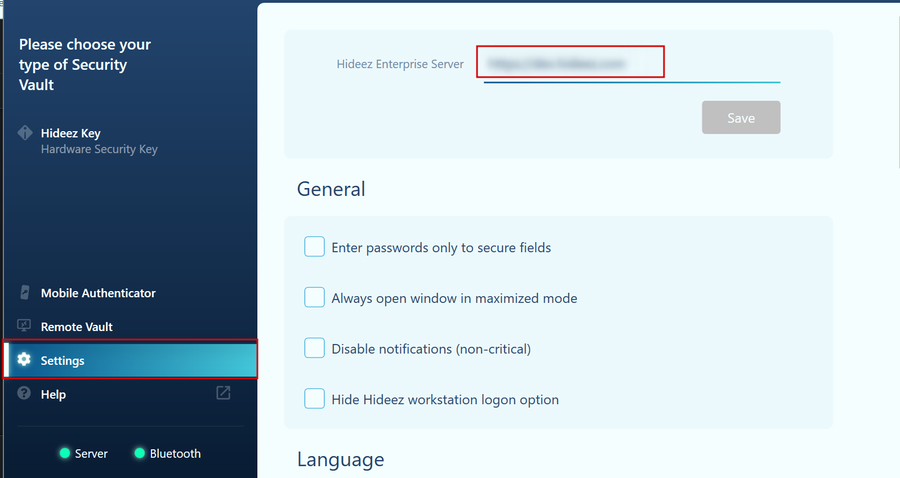
2. Input the HES address in the Settings section.
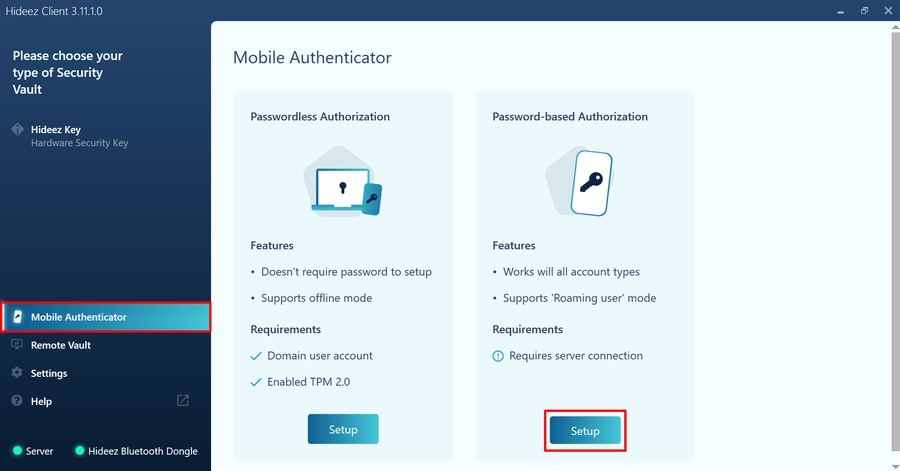
3. Go to the Mobile Authenticator section and click the "Setup" button under the Password-based Authenticator subsection.
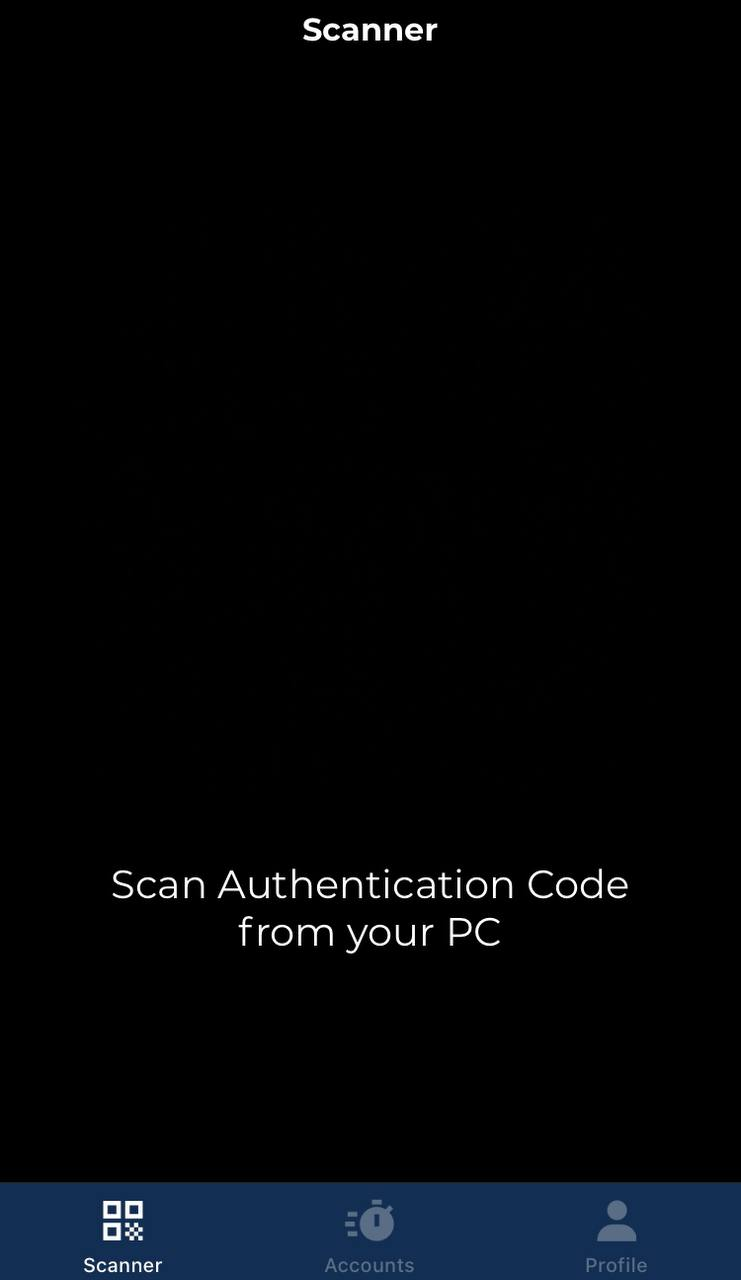
4. Open the Scanner section of the Hideez Authenticator and scan the QR code from the Hideez Client. Also, you can open this scanner from the “Profile > Workstation” section. In this case, the scanner will look like this:
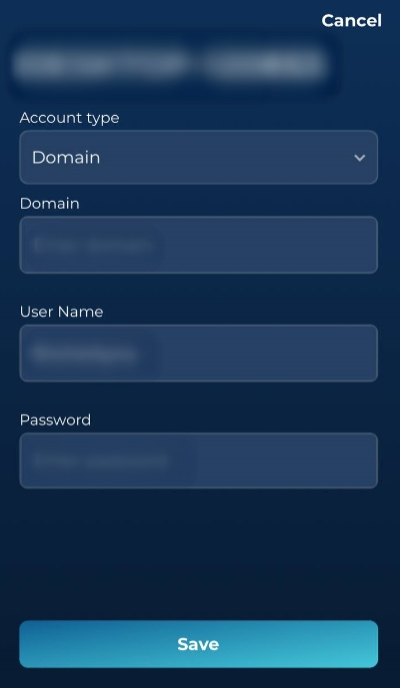
5. Confirm enrollment on Hideez Authenticator. Select the account type (Local/Domain/Microsoft/Azure AD) and fill in all the fields. Then tap the "Save" button.
6. That is all set. Now you can find information about unlock account in the "Accounts > Workstations" section at the Hideez Authenticator. Also here you can [delete unlock account](https://authenticator.hideez.com/user-guide/android-guide/software-key-disabling/pc-login-disabling) or add a new one.